Snapchat
In this article, we will show you how to connect adnomaly to your Snapchat ad account by inviting us as a member and assigning the correct access. To activate adnomaly in your Snapchat account, simpl…

Updated
by Binnaz Cemre Janicke
In this article, we will show you how to connect adnomaly to your Snapchat ad account by inviting us as a member and assigning the correct access.
To activate adnomaly in your Snapchat account, simply add our system user to your account’s User Management section. This will enable our software to monitor your campaigns and deliver insightful analytics.
Step-by-Step Instructions
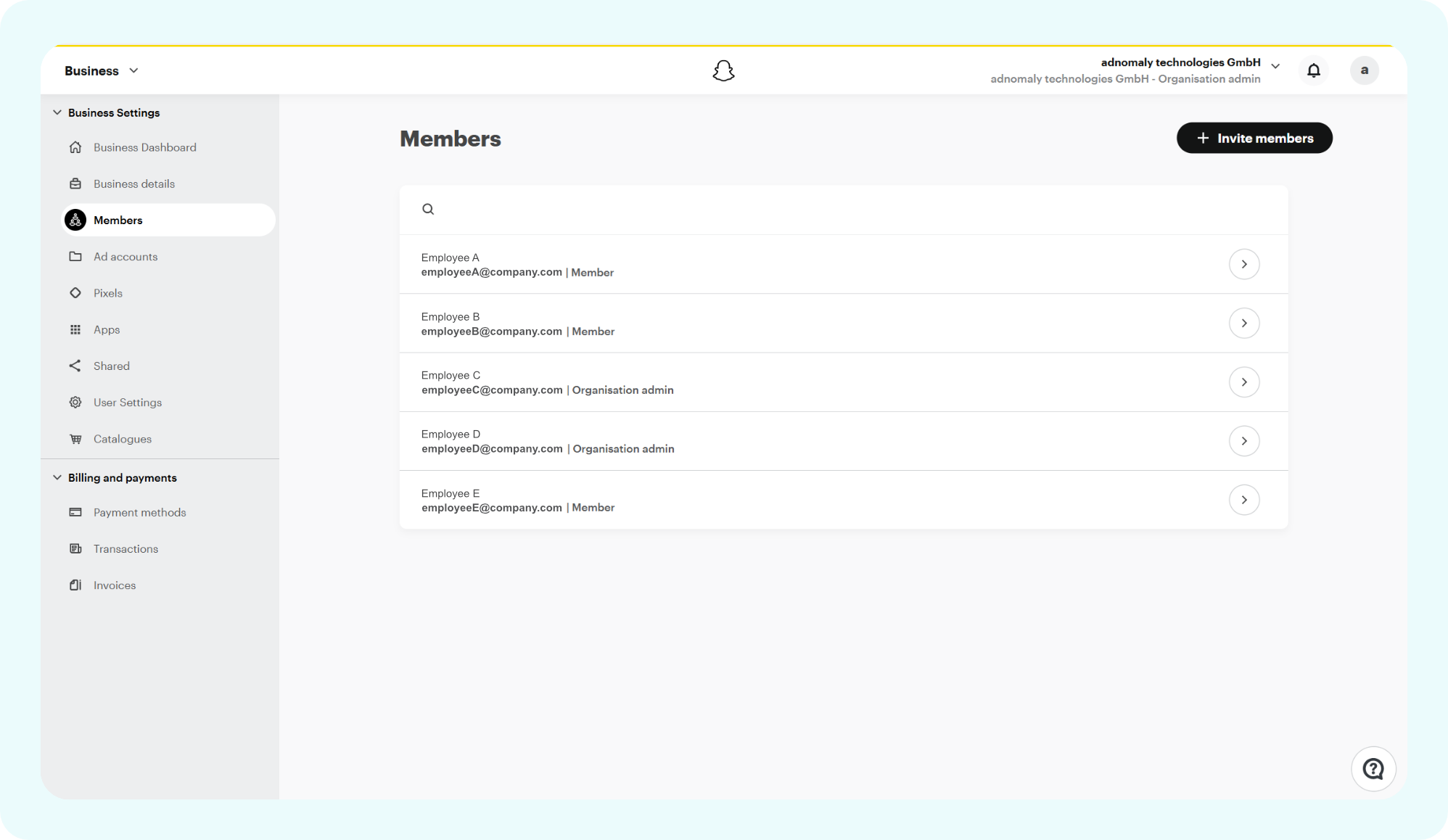
- Go to the Business Center in your Snapchat Business Manager, navigate to the Members tab, and click the Invite Member button in the top right corner.
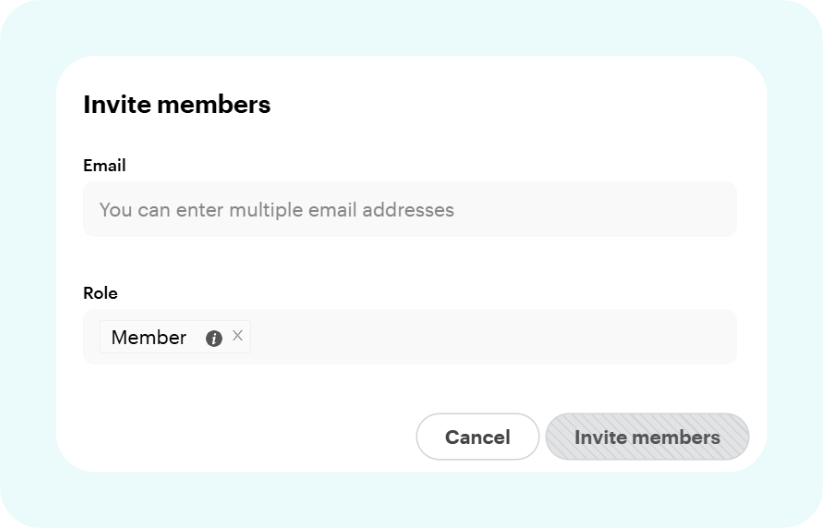
- In the popup, enter the email address provided by your adnomaly contact, set the role to Member, and click Invite Members.
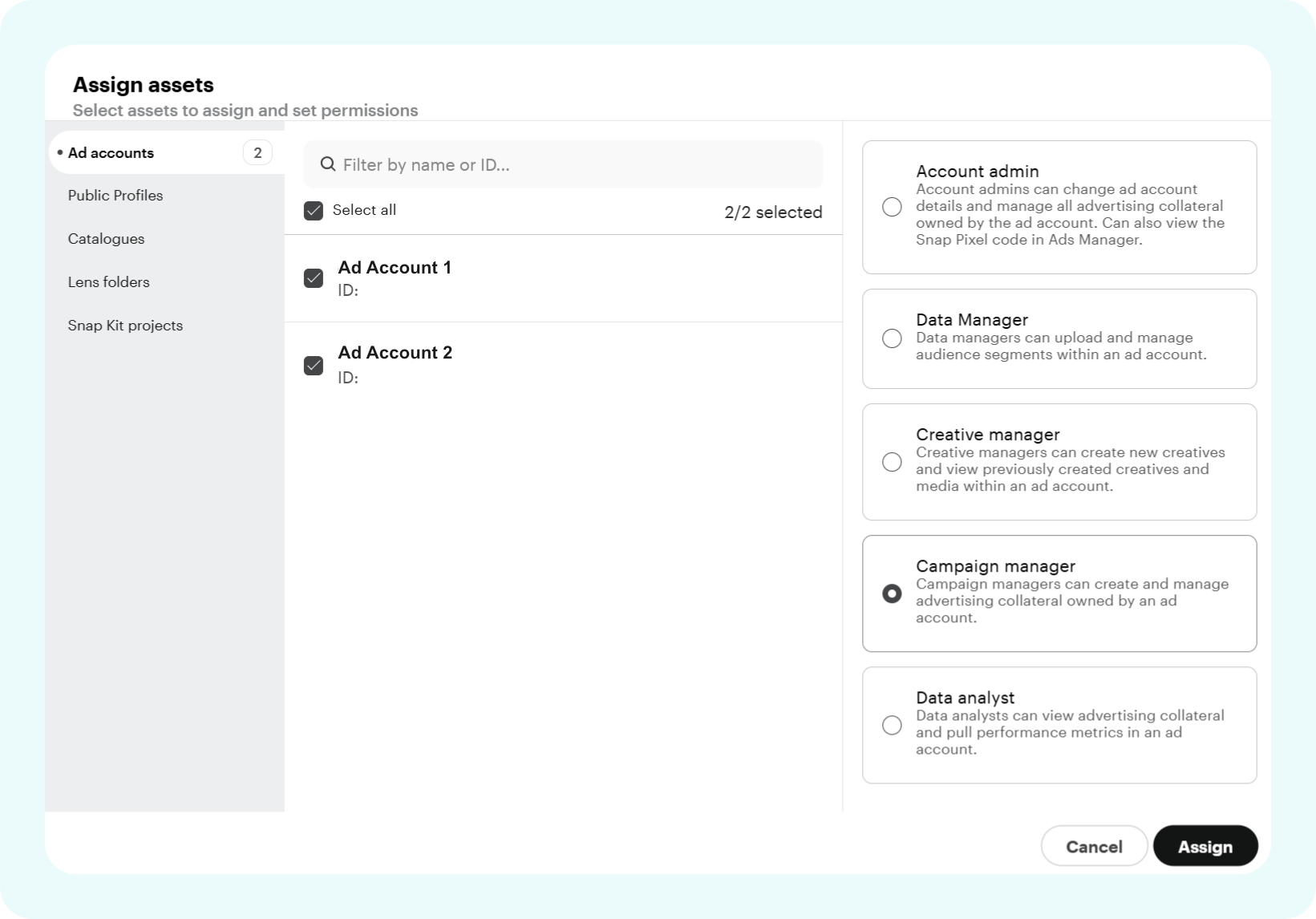
- A new Assign Assets window will pop up. Go to the Ad Accounts tab, select the relevant ad account(s), set the role to Campaign Manager, and click Assign.
Once you've completed the steps, please notify your adnomaly representative. There are a few manual steps to finalize the connection within our system.
You’re all set! Now, adnomaly have access to your Snapchat ad account and begin syncing your campaign data.
How did we do?