In this article, we will show you how to connect adnomaly to your LinkedIn ad account by adding us as a partner and assigning the right access. To activate adnomaly in your LinkedIn ad account, simpl…

Updated
by Binnaz Cemre Janicke
In this article, we will show you how to connect adnomaly to your LinkedIn ad account by adding us as a partner and assigning the right access.
To activate adnomaly in your LinkedIn ad account, simply add us as a partner and assign the appropriate access. This will allow our system to monitor your campaigns and provide valuable insights.
Step-by-Step Instructions
- Log in to your LinkedIn Business Manager, go to the Partners section in the left-hand menu, and click Add Partner. Enter the partner ID provided by your adnomaly contact. Once adnomaly is added, you’ll see a notification that says “adnomaly techonologies is added as your partner”.
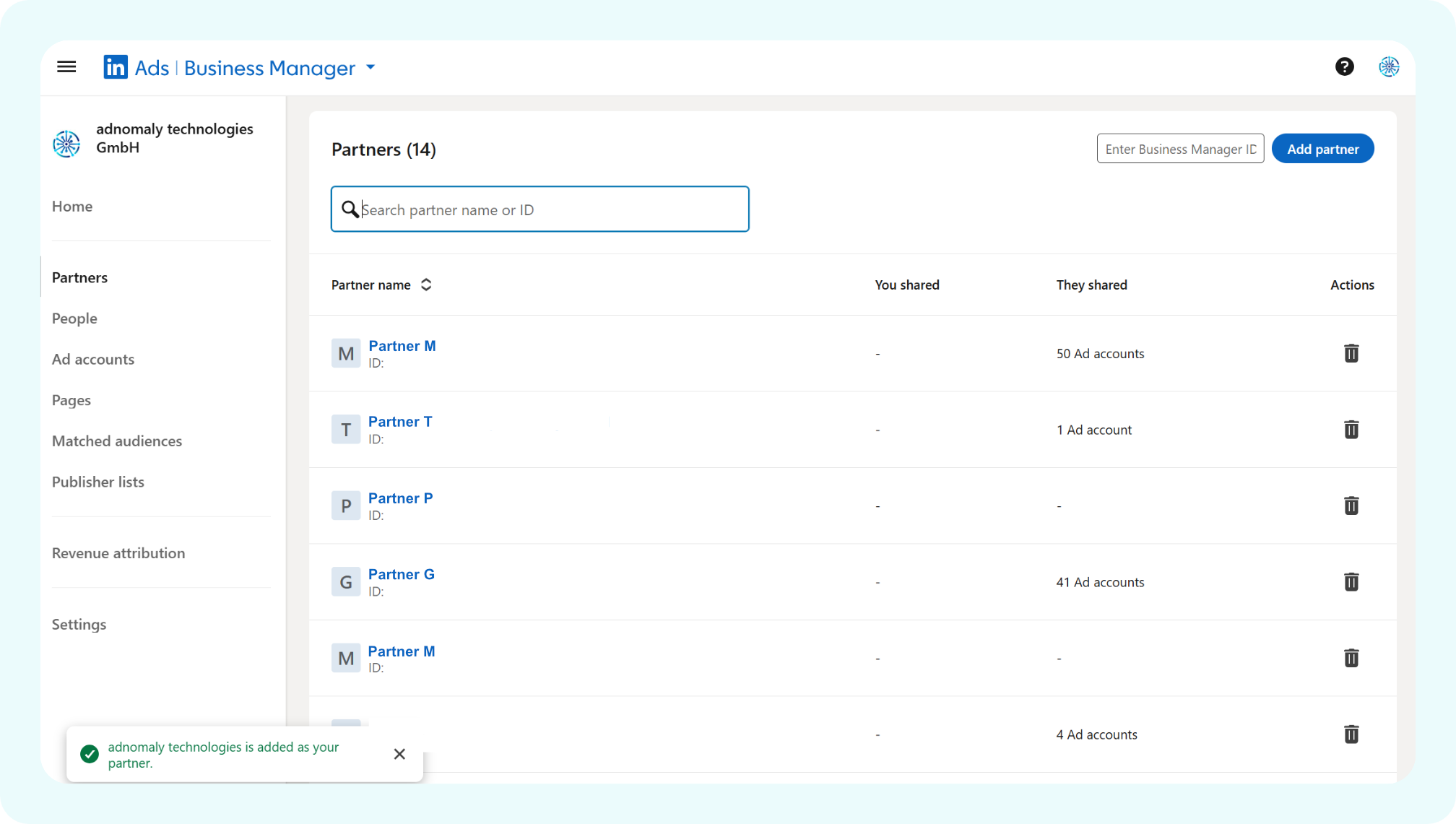
- Click on the new adnomaly technologies GmbH partner entry, then select Share ad accounts.

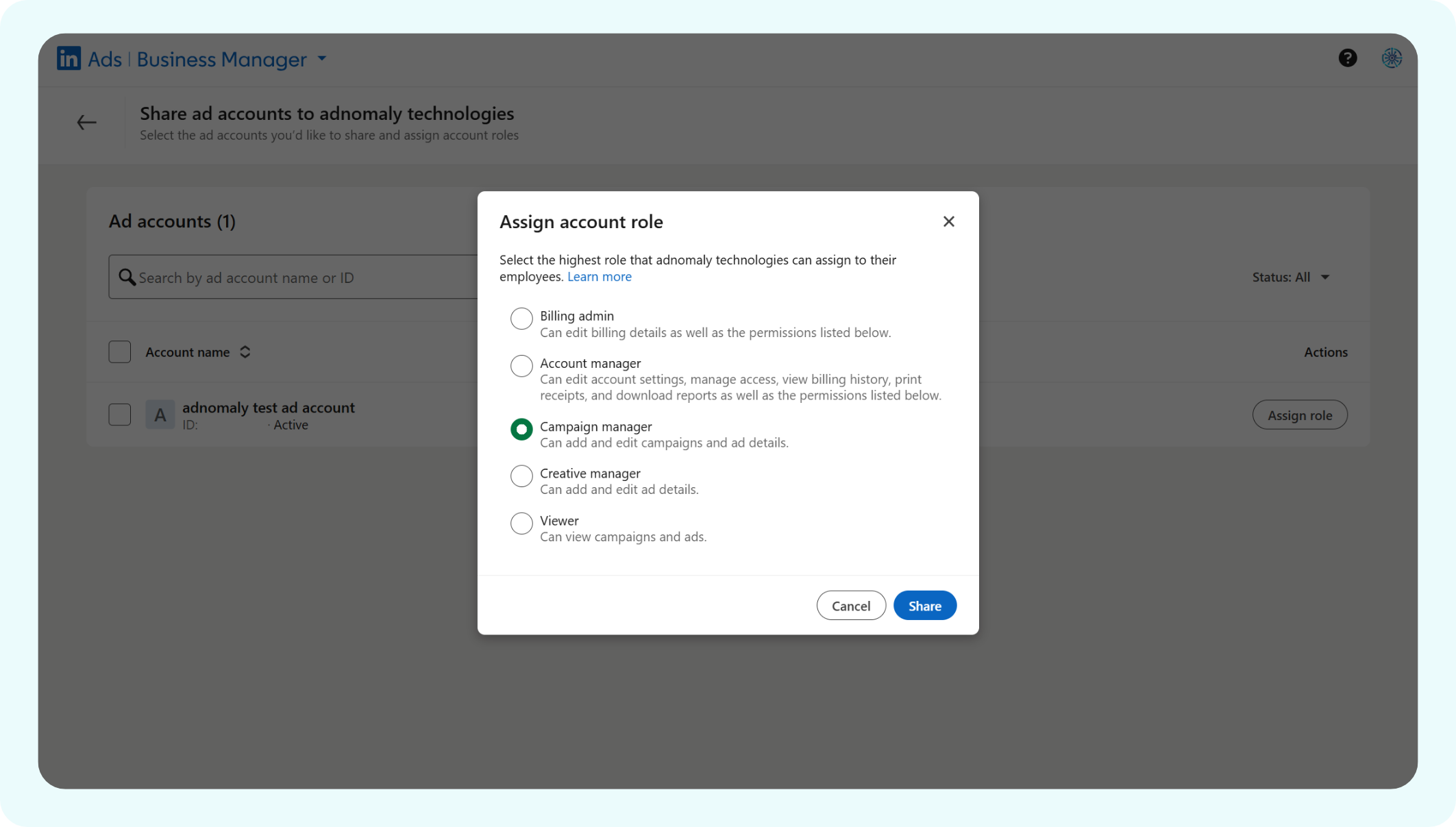
- Choose the ad account(s) you want to share and click the Assign Role button. In the popup window, select the Campaign Manager role and click Share.
Once you've completed the steps, please notify your adnomaly representative. There are a few manual steps to finalize the connection within our system.
You're all set! Now, adnomaly is successfully connected to your LinkedIn ad account.
How did we do?
Snapchat