How to set adnomaly to send alerts without pausing my campaign?
You can configure adnomaly to send alerts without pausing your campaign by adjusting rule settings in the Operation Center. Simply modify the campaign’s rule status and disable the pause option to ensure you receive notifications only.

Updated
by Binnaz Cemre Janicke
In this article, we will guide you through two types of adnomaly alerts and how to customize your rule settings. Learn how to manage alerts and control whether your campaigns are paused automatically or not.
The Two Versions of adnomaly Alerts
This feature is only available to admins.
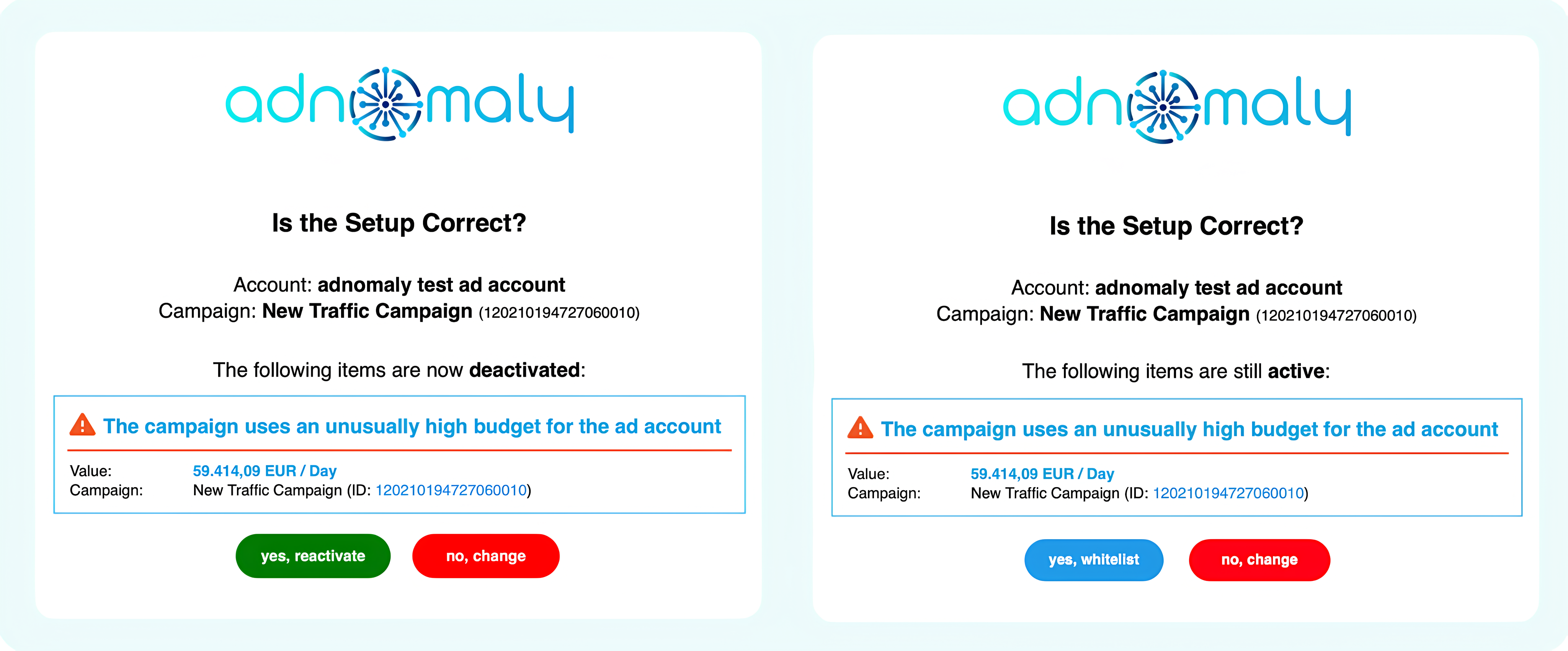
Left (green button): adnomaly has deactivated the campaign. Action is required — either reactivate the campaign through the alert or adjust the setup in the platform.
Right (blue button): adnomaly has sent a notification only. No immediate action is needed. You can click the blue button to whitelist the settings if they are correct.
Step-by-Step Guide to Editing adnomaly Rule Setup
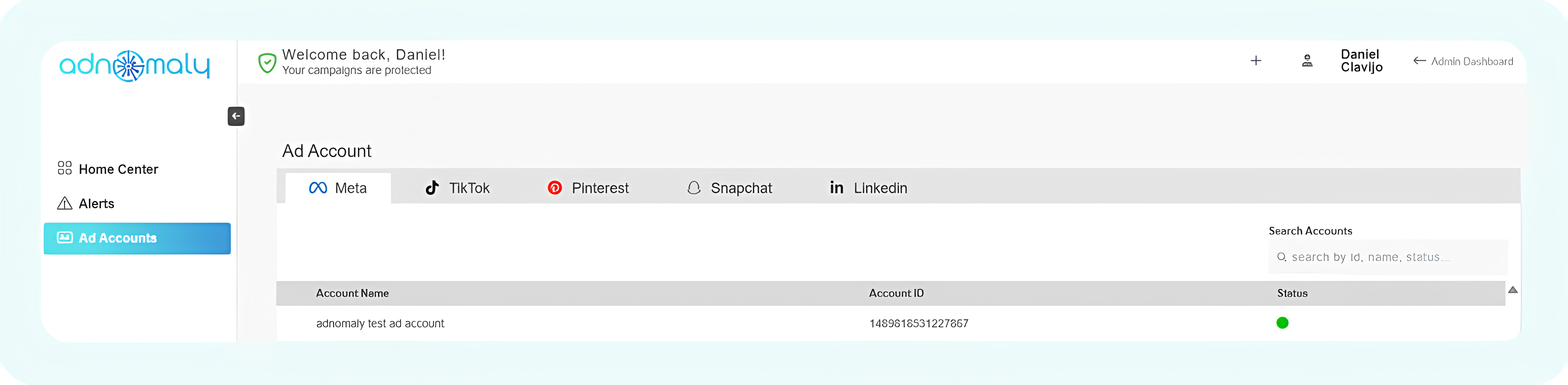
- Access the Operations Center
- Log in to your account and navigate to the Operations Center.
- Select your ad account
- Click on "Ad Accounts" to view the platforms and ad accounts you are actively managing.
- Find and click on the ad account you want to edit.
- Adjust rule settings
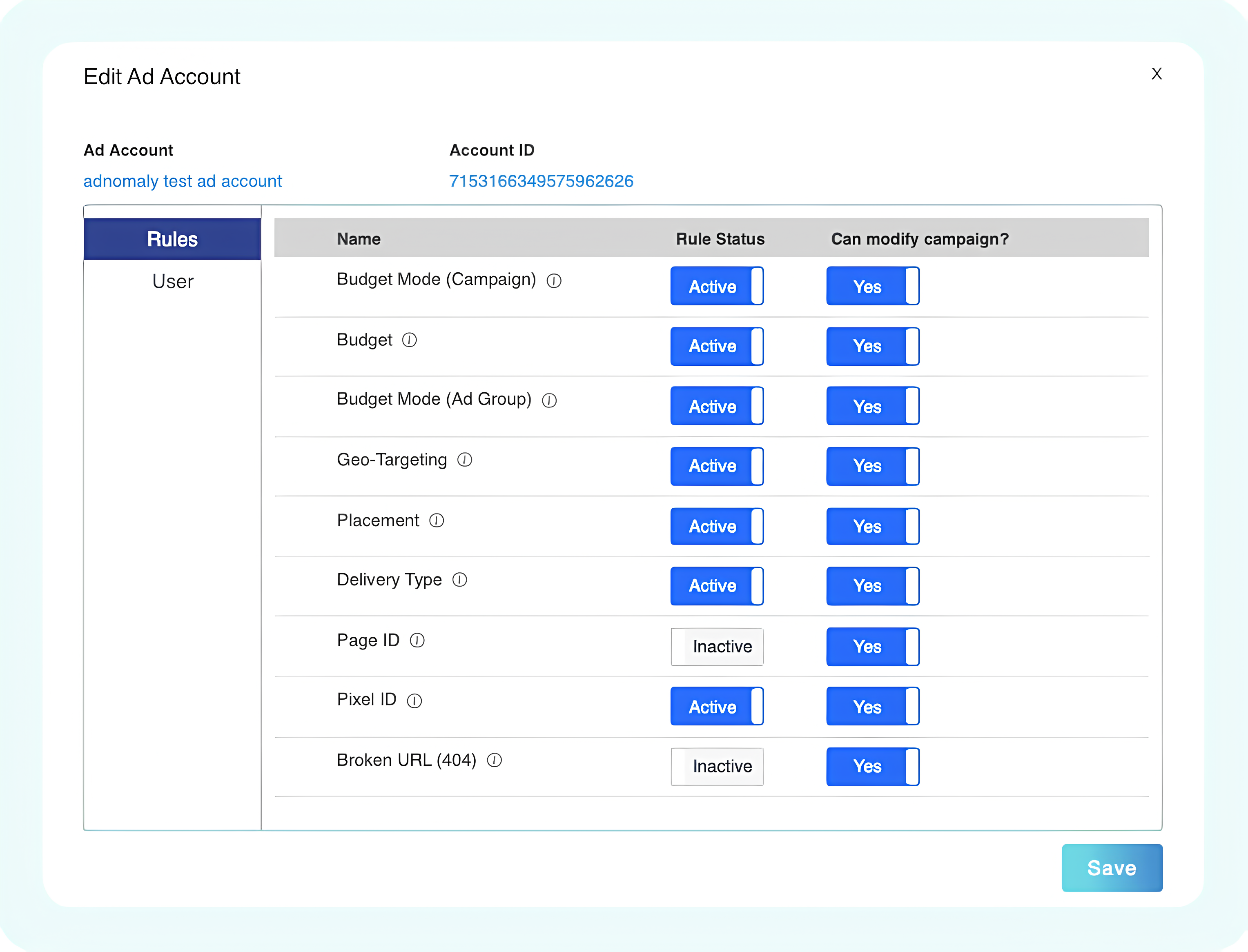
- Locate the rule you want to modify. Each rule has two settings:
- Rule Status – Must be set to "Active" if you want to receive alerts.
- Can Modify Campaign? – Select "No" if you do not want adnomaly to pause the campaign.
- Save your changes
- Click on Save to apply your modifications.
You're all set! Now, your campaign will not be paused automatically and you will receive alerts only instead.
For more control over which settings generate alerts, check "How to stop adnomaly from sending alerts for specific settings?" or watch our video guide for step-by-step instructions and a clearer understanding.
How did we do?
How to stop adnomaly from sending alerts for specific settings?
What to do if my Meta account got hacked?