How to stop adnomaly from sending alerts for specific settings?
.

Updated
by Binnaz Cemre Janicke
In this article, we will show you how to whitelist settings in adnomaly to define what’s considered “usual” for your campaigns-so you can avoid future alerts and streamline approvals.
Approving the same settings repeatedly can be frustrating, we don’t want that for you! Learn how to teach adnomaly to recognize certain settings as usual so you don’t have to approve them again.
Where Can I Whitelist Settings?
Important: When you whitelist a setting, it applies to all campaigns under the ad account or advertiser-both existing and future ones. This means the setting will always be treated as usual, and you will no longer receive alerts for it in that specific account.
- Go to the Approval Page
No matter how you use adnomaly whether it deactivates campaigns, only sends notifications or if you manage alerts via email or the Operations Center, whitelisting always works the same way: on the Approval Page.
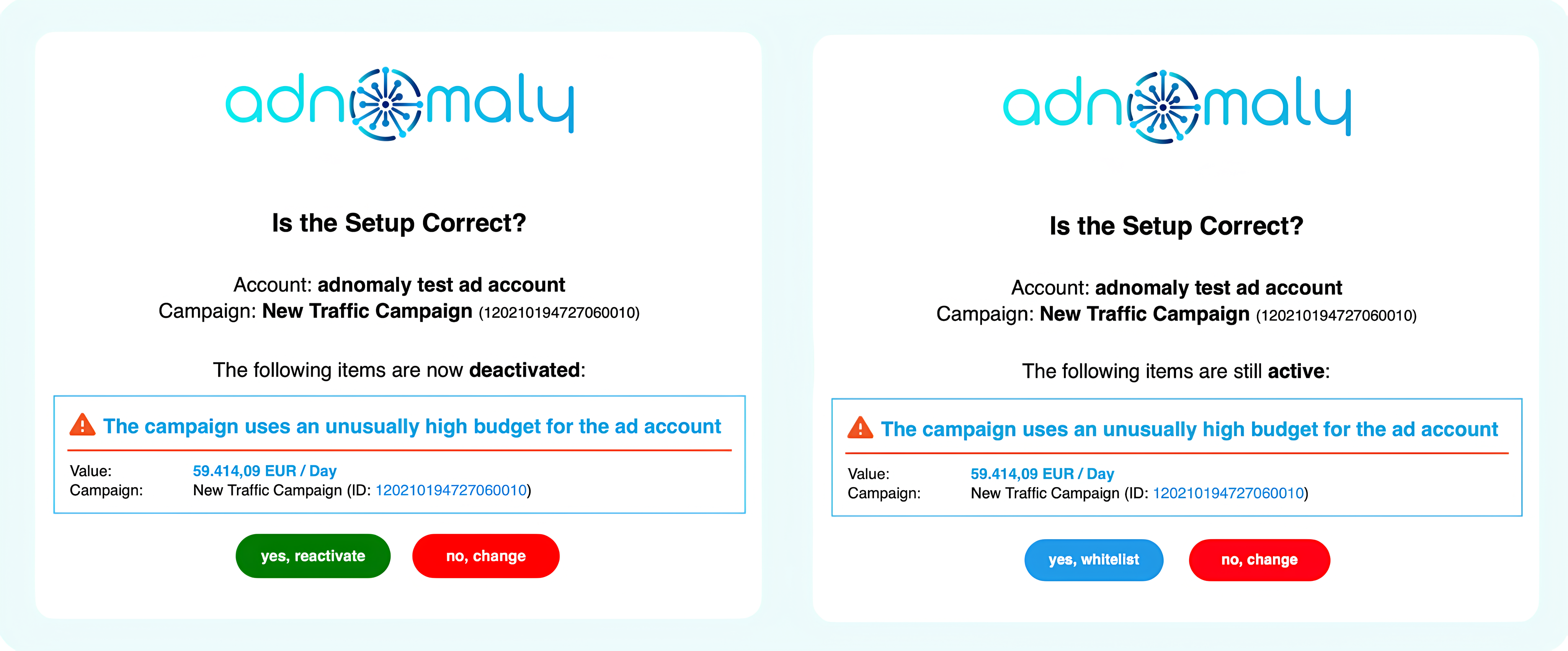
- Click either "Yes, Activate" or "Yes, Whitelist" button, depending on whether adnomaly is set to modify campaign settings or only notify you.
- This will direct you to the Approval Page, where the "Complete Setup" window will appear.
- Choose "Whitelist" and Select the Settings to Approve
- In the “Complete Setup” window, click “Whitelist” to proceed. You will see a list of flagged settings in your campaign.
- To whitelist specific settings, check the box next to the ones you want to approve.
- Click “Whitelist & Reactivate” to confirm. Your campaign will be reactivated automatically, and the selected settings will be whitelisted for this ad account or advertiser.
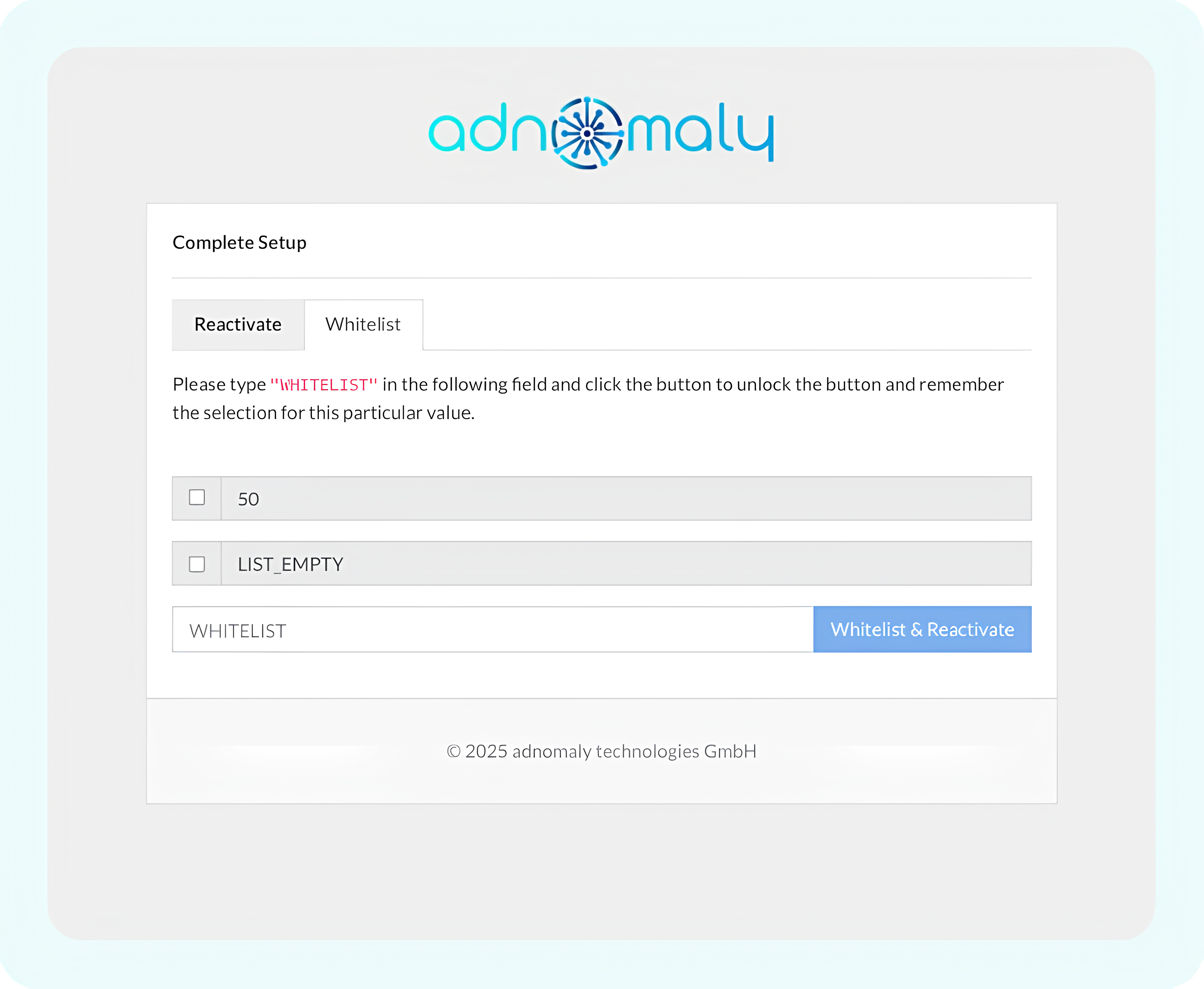
This also applies to budget sizes. If you don’t want to verify budgets of a certain size, simply whitelist them.
If you’d prefer alerts without disrupting your campaign flow, see "How to set adnomaly to send alerts without pausing my campaign?".
How did we do?
Why does the alert show a daily budget when a lifetime budget is selected?
How to set adnomaly to send alerts without pausing my campaign?