Table of Contents
adnomaly in a nutshell
Learn the very basics of what adnomaly does and how it will support you in your daily operations

Table of Contents
What does adnomaly do?
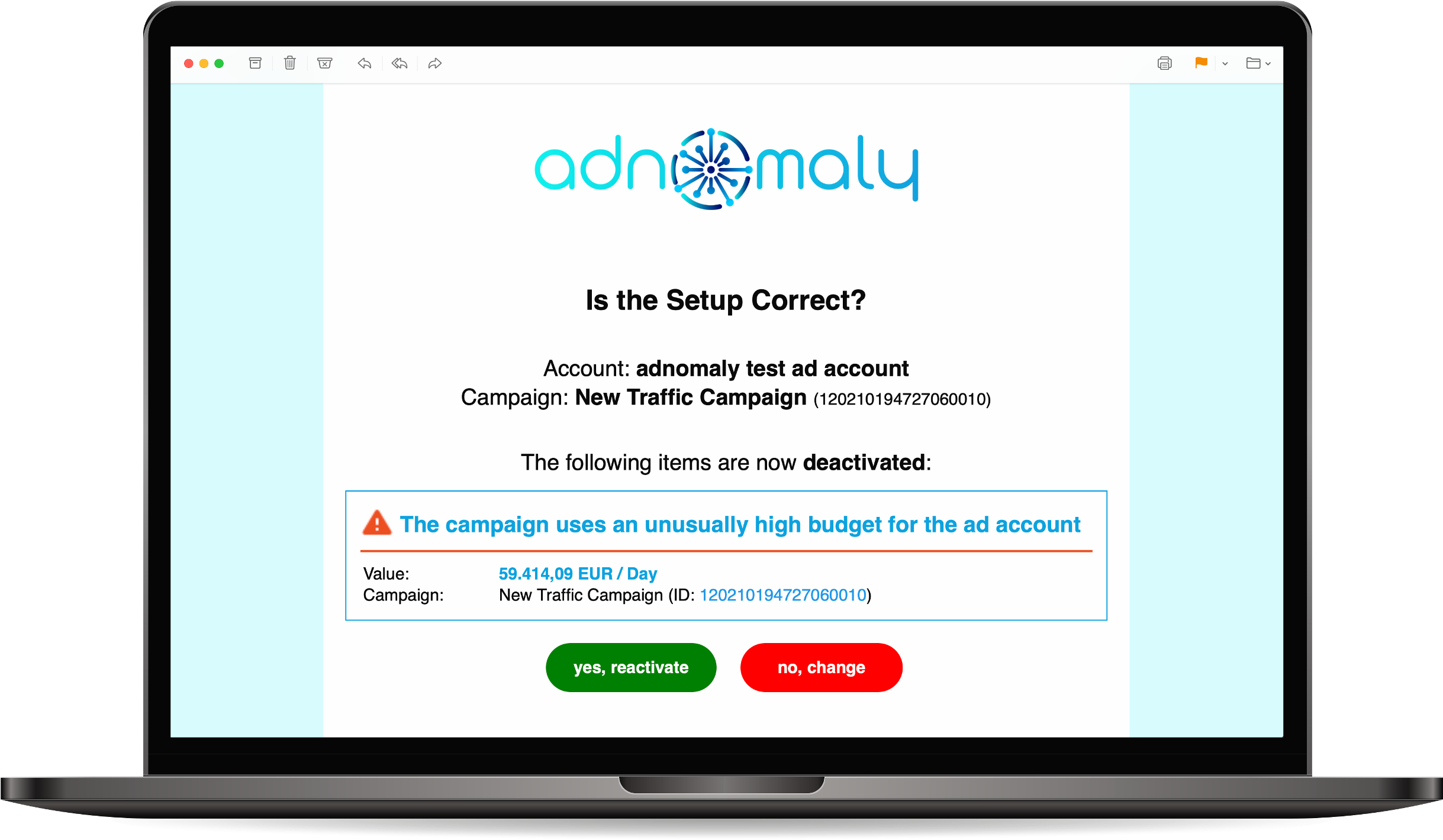
How does it work?
It identifies unusual configurations based on historical data from the ad account and sends real-time alerts to help users prevent misconfigurations. When an unusual setup is detected, adnomaly pauses the affected items by default to prevent potential issues.
- Receiving Alerts
• Alerts are sent as close to real-time as allowed by the advertising platform’s API.
• Only users who have added the specific ad account to their adnomaly account will receive alerts.
• Alerts notify users of unusual or incorrect campaign setups that may require attention.
- Automated Deactivations & User Actions
• When adnomaly detects an issue, it automatically deactivates the affected campaign, ad set, or ad.
• Users must press the green button in the alert to approve the detected anomaly and reactivate the item.
• If changes are needed, users can press the red button to open the DSP and manually correct the settings.
- Managing Alerts
• Alerts are not only managed via email but can also be accessed through the Operations Center within adnomaly.
• The Operations Center provides an overview of open alerts, allowing users to take action directly from the platform.
This system ensures that campaigns are correctly set up before they go live, acting as a safeguard against misconfigurations.
How did we do?
How to create my account?