TikTok
In this article, we will show you two altenatives to connect adnomaly to your TikTok ad account. There are two ways to connect adnomaly to your TikTok ad account: either through User Integration or v…

Updated
by Binnaz Cemre Janicke
In this article, we will show you two altenatives to connect adnomaly to your TikTok ad account.
There are two ways to connect adnomaly to your TikTok ad account: either through User Integration or via Partner Connection.
Step-by-Step Instructions
- Option 1: Connect via User Integration
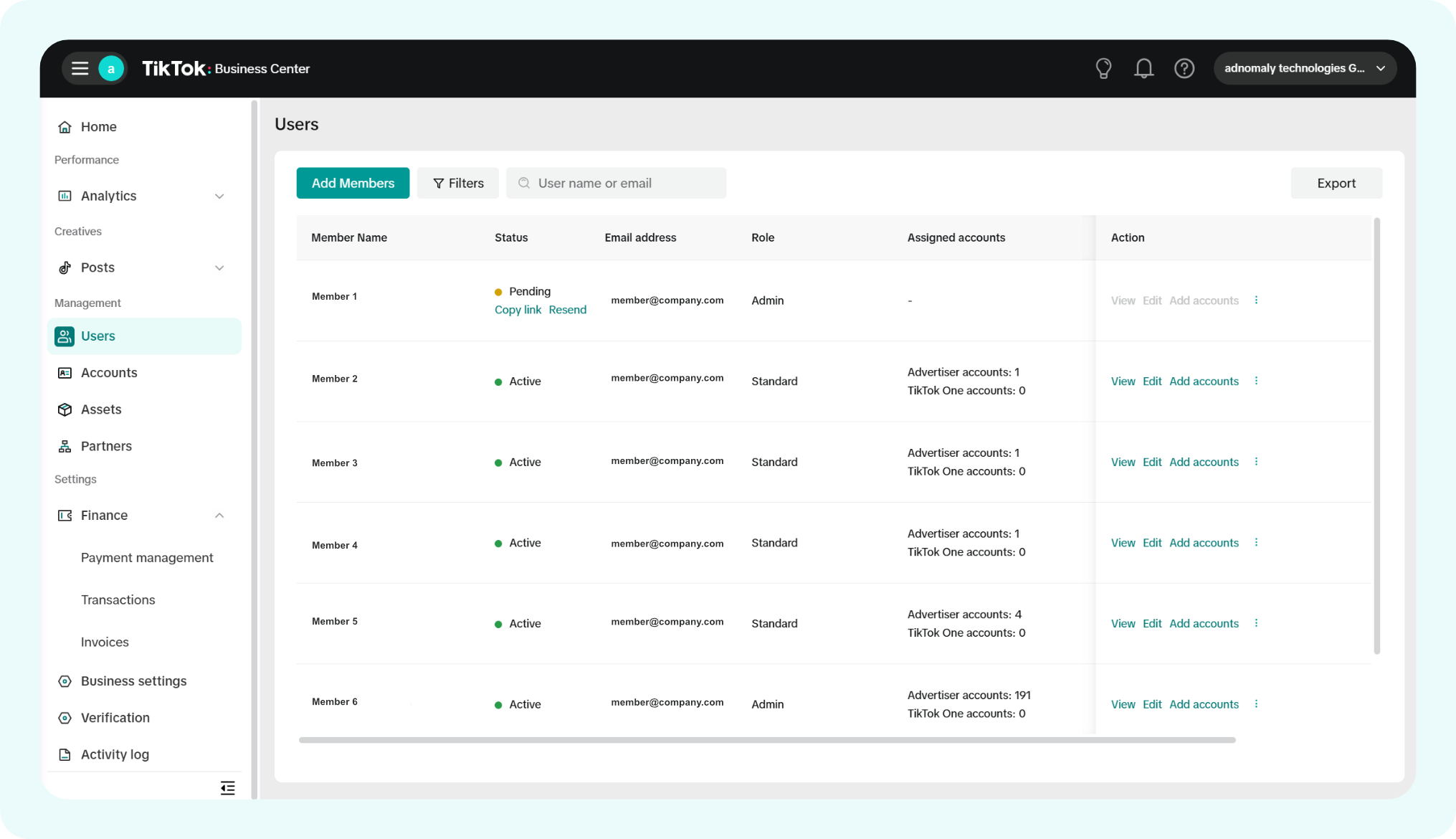
- Log in to your TikTok Business Center and go to the Users section in the left-hand sidebar. Click Add Members.
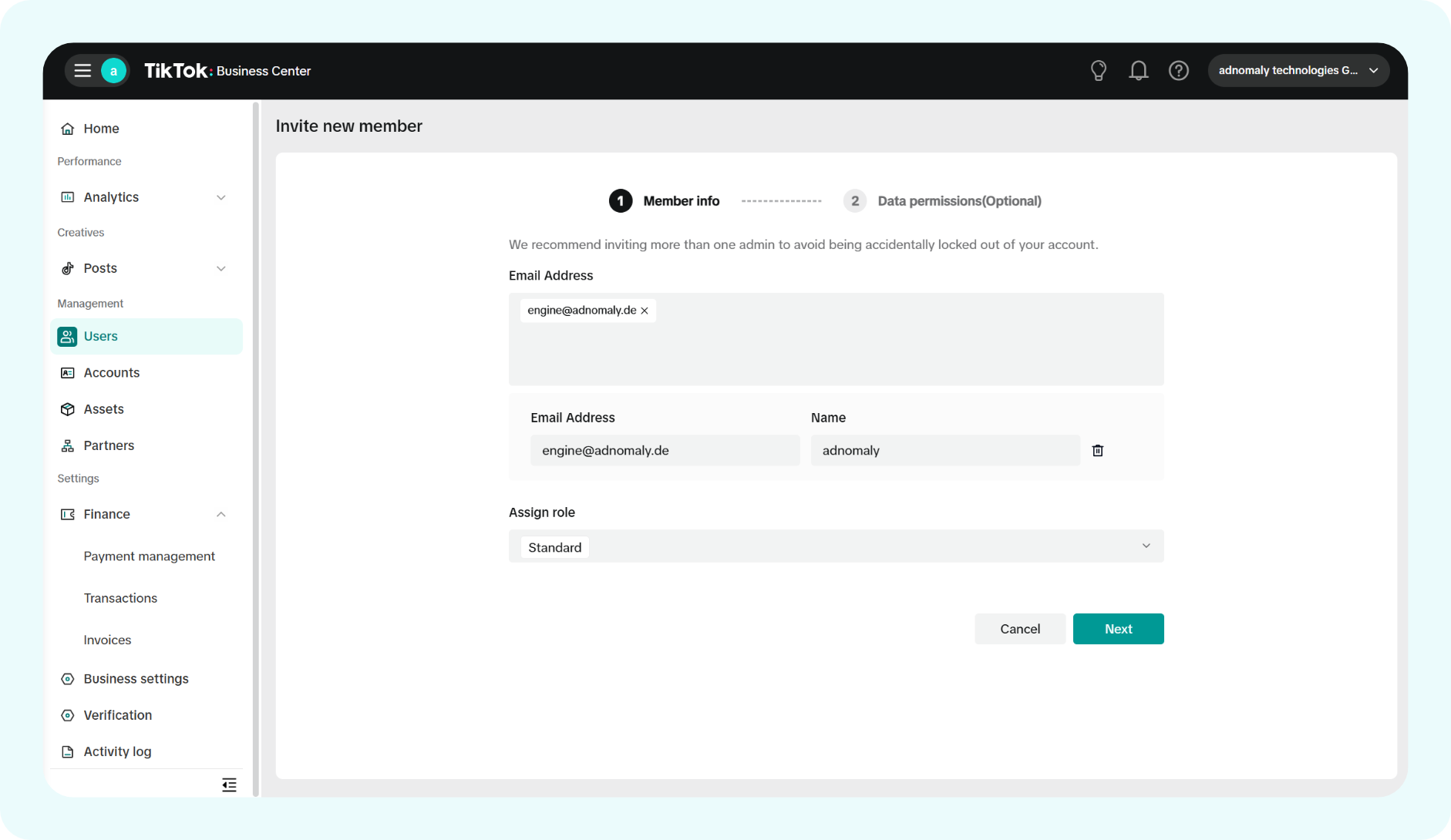
- On the Invite New Member page, enter the email address(engine+tiktok@adnomaly.de) provided by your adnomaly contact, then click Next.
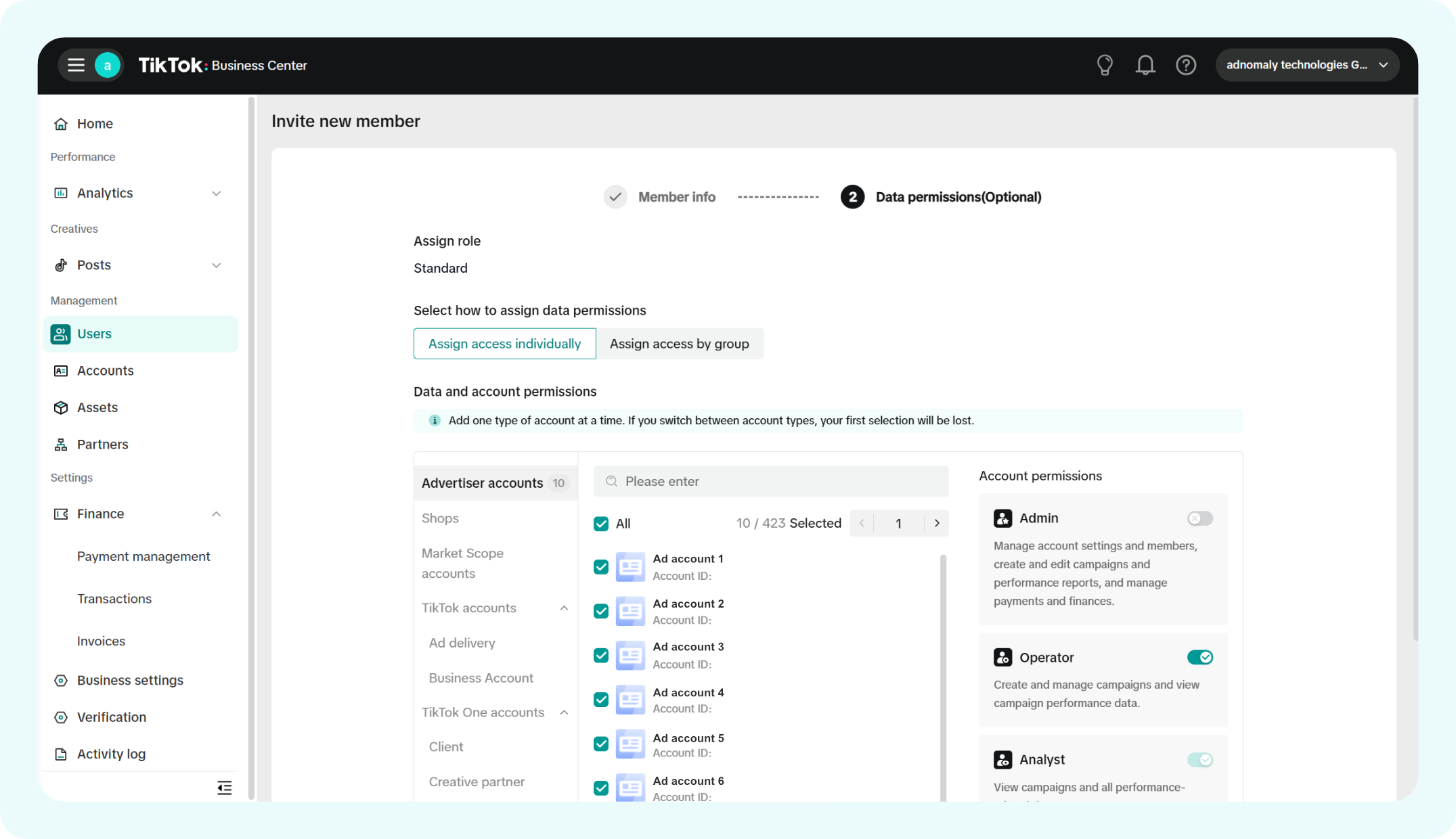
- In the Data Permissions section, select Advertiser Accounts (All) and choose the Operator role as the account permission. Click Save Changes.
You're all set! Now, adnomaly is connected to your TikTok account via User Integration.
- Option 2: Connect via Partner Connection
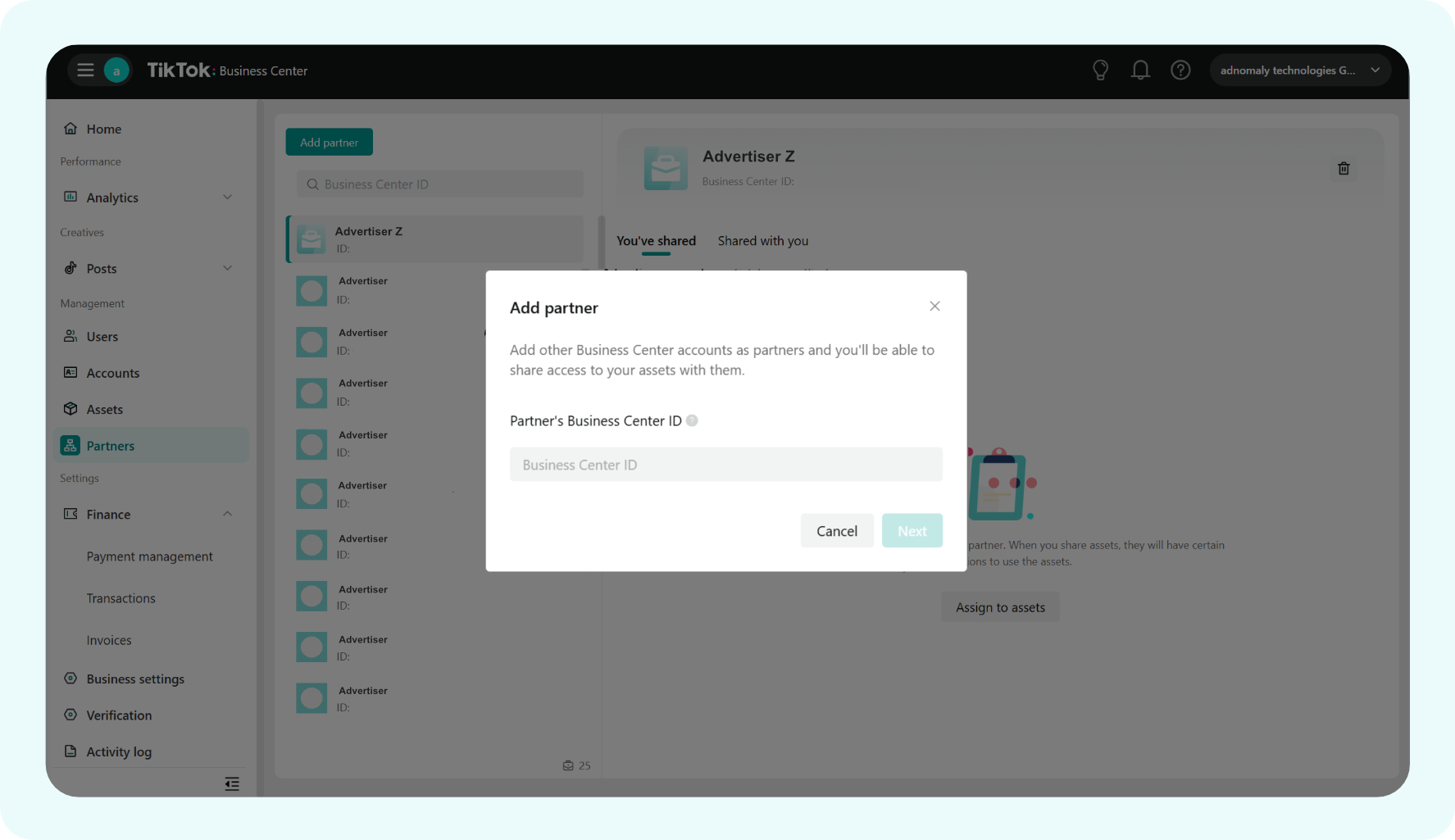
- In your TikTok Business Center, go to the Partners tab and click the Add Partner button on the top left corner.

- In the popup, enter adnomaly's Business Center ID (provided by your adnomaly contact), then click Next.
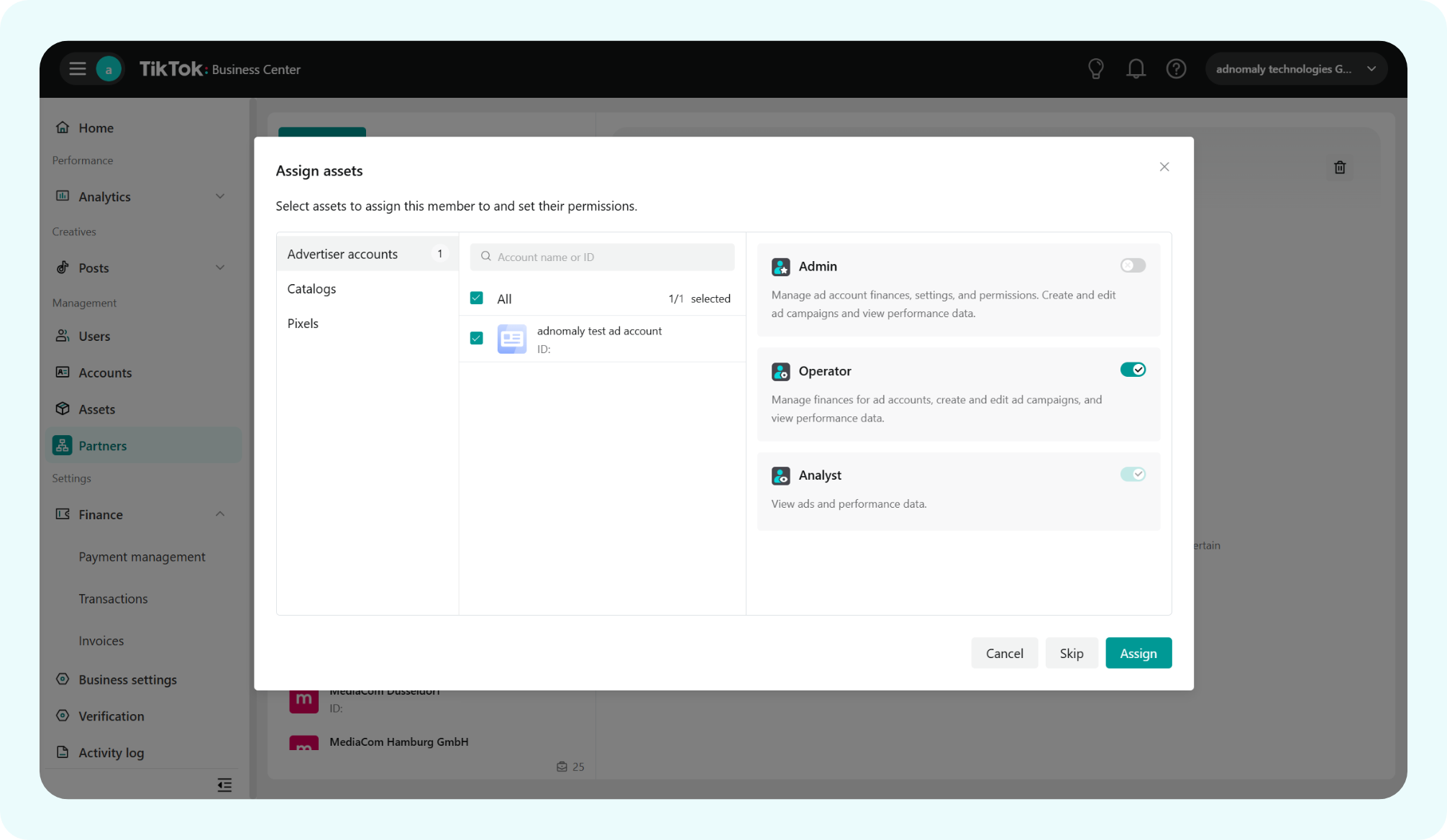
- You’ll be directed to the Assign Assets page. Select Advertiser Accounts (All) and assign the role as Operator. Click Assign to complete the setup.
Once you've completed the steps, please notify your adnomaly representative. There are a few manual steps to finalize the connection within our system.
You're all set! Now, adnomaly is successfully connected to your TikTok account via partner access.
How did we do?
Meta