In this article, we will show you how to connect adnomaly to your Pinterest ad account. The process is simple: you just need to add adnomaly as a user in your Business Manager. Once added, our system…

Updated
by Binnaz Cemre Janicke
In this article, we will show you how to connect adnomaly to your Pinterest ad account.
The process is simple: you just need to add adnomaly as a user in your Business Manager. Once added, our system can automatically access your ad data via API.
Step-by-Step Instructions
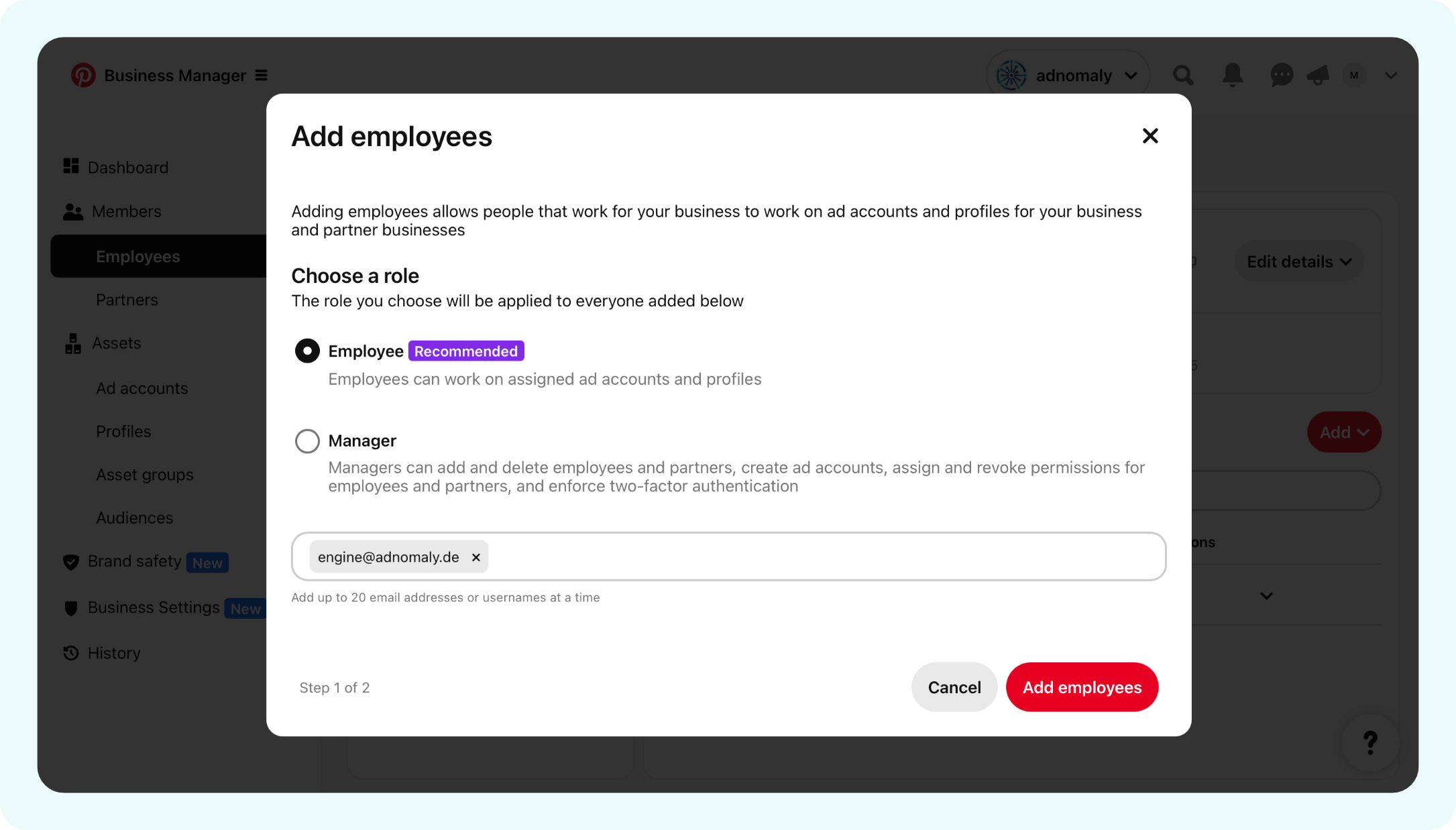
- Log in to Pinterest Business Manager, and navigate to Members > Employees and use the Add employees button to open the invitation window.

- In the pop-up, enter the email address (engine@adnomaly.de) provided by your adnomaly contact and choose a role as Employee. Click Add employees.
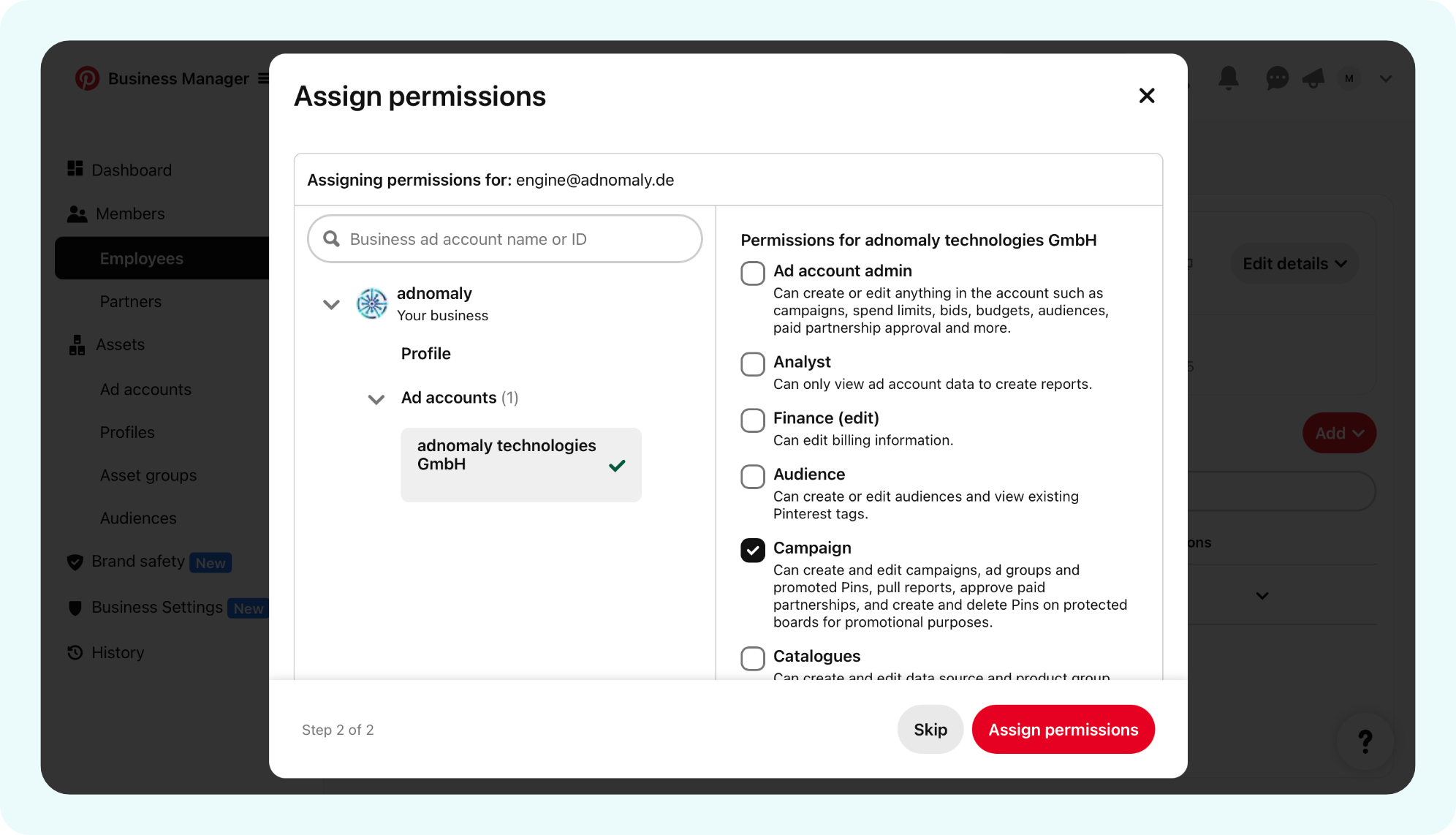
- You will be directed to the Assign Permissions page and select adnomaly as the user to assign. Check the box for Campaign. Click Assign permissions to confirm.
Once you've completed the steps, please notify your adnomaly representative. There are a few manual steps to finalize the connection within our system.
You're all set! Now, adnomaly is successfully connected to your Pinterest ad account.
How did we do?
TikTok
Snapchat