Google Ads
In this article, we will show you two different ways of connecting adnomaly to your Google Ads account. To connect adnomaly to your Google Ads account, you can choose one of two simple methods: invit…

Updated
by Binnaz Cemre Janicke
In this article, we will show you two different ways of connecting adnomaly to your Google Ads account.
To connect adnomaly to your Google Ads account, you can choose one of two simple methods: inviting our system user or connecting via MCC. Both options allow our platform to access your campaigns and deliver insights efficiently. This article walks you through each step.
Step-by-Step Instructions
System User Connection
- Log in to your Google Ads Account, go to Admin > Access and Security. Click the User button to invite a new user.
- Enter googleads-engine-2@adnomaly.de, select Standard access, and click Send Invitation.
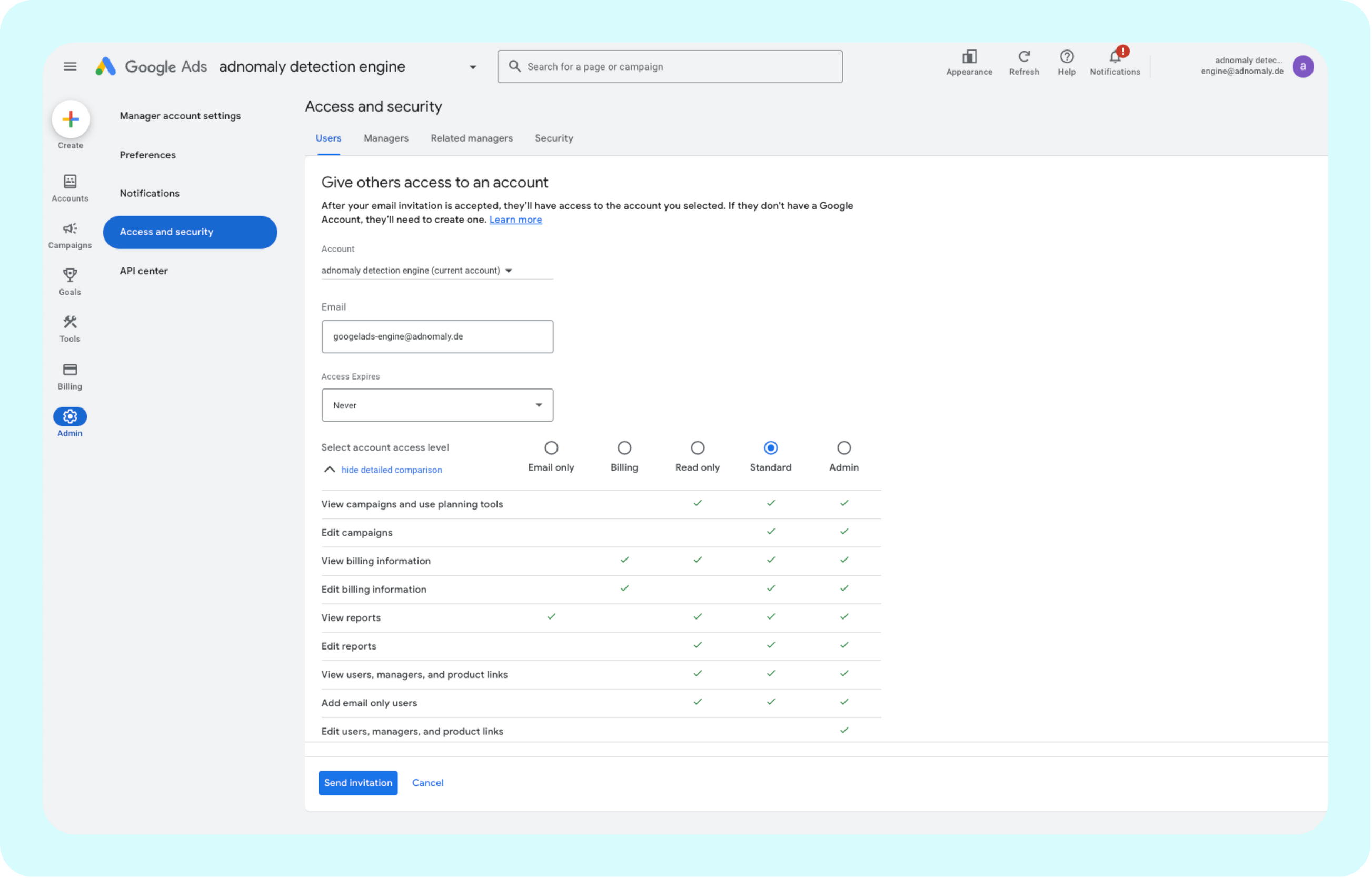
- Make sure our email appears under your list of users. Confirm the access level is set to Standard.
- Find your 10-digit Customer ID in the top-right corner of your account. Send it immediately to your adnomaly contact person.
You're all set! Now, adnomaly is successfully connected to your Google Ads account.
MCC Connection
- Collect one of the following:
- Your Google Ads MCC ID (if you manage multiple accounts), or
- The account ID(s) of the individual Google Ads accounts you want to connect.
- Send the collected ID(s) to your adnomaly representative. Then, your adnomaly representative will send a connection request from our MCC account.
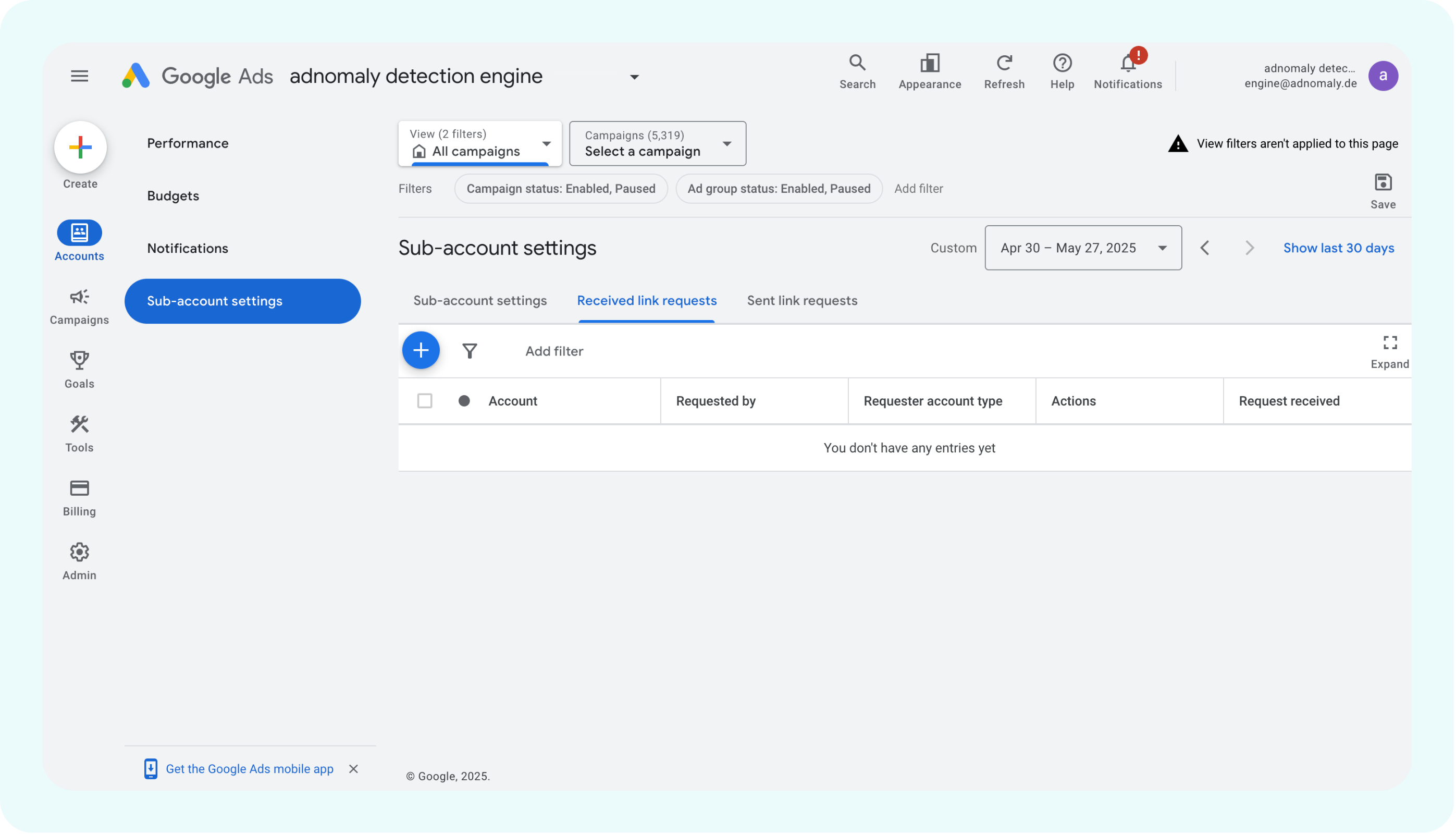
- Log in to your Google Ads account and accept the connection request.
If you’ve reached your limit for MCC connections, inform your adnomaly representative, we’ll support you in resolving it.
- When accepted, your Google Ads account is now connected to adnomaly.
Once you've completed the steps, please notify your adnomaly representative. There are a few manual steps to finalize the connection within our system.
You're all set! Now, adnomaly is successfully connected to your Google Ads account.
How did we do?
DV360
theTradeDesk