DV360
In this article, we will guide you through the simple steps to connect adnomaly to your DV360 account. To activate adnomaly in your DV360 account, you just need to add our system user to your account…

Updated
by Binnaz Cemre Janicke
In this article, we will guide you through the simple steps to connect adnomaly to your DV360 account.
To activate adnomaly in your DV360 account, you just need to add our system user to your account’s User Management section. This ensures our software can monitor your campaigns and provide insights effectively.
Step-by-Step Instructions
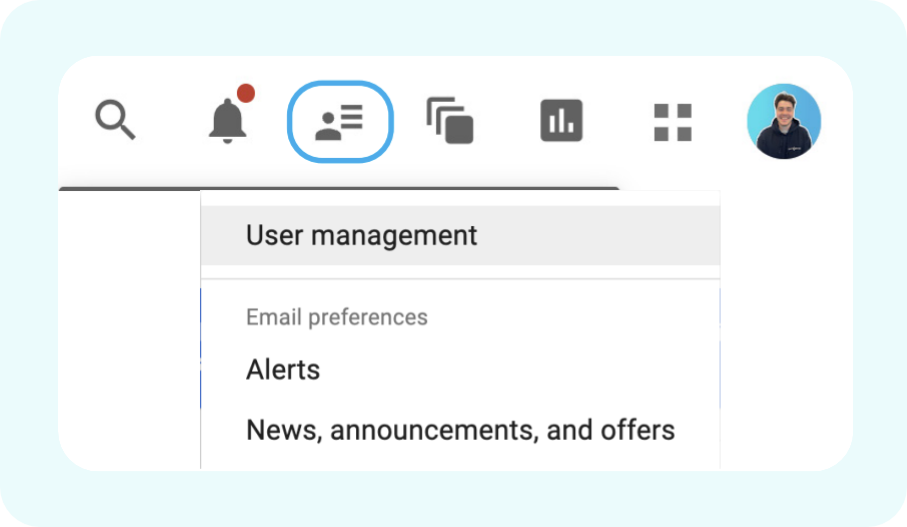
- Go to your DV360 account, and sign in using your credentials. In the top-right corner of the screen, then select User Management.
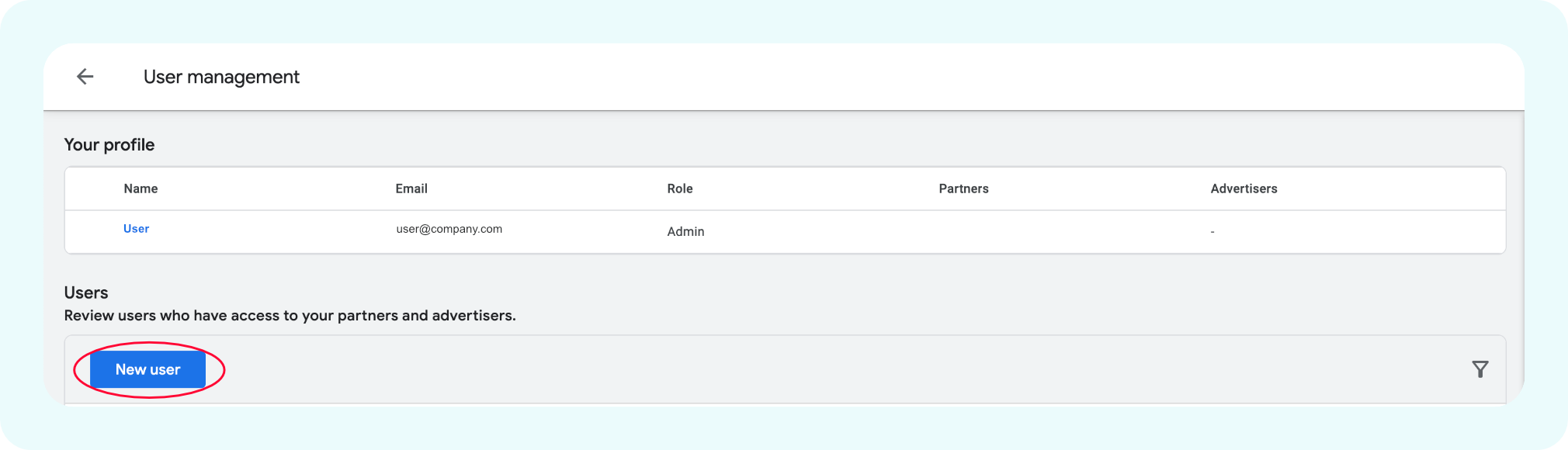
- In the User Management section, click New User.
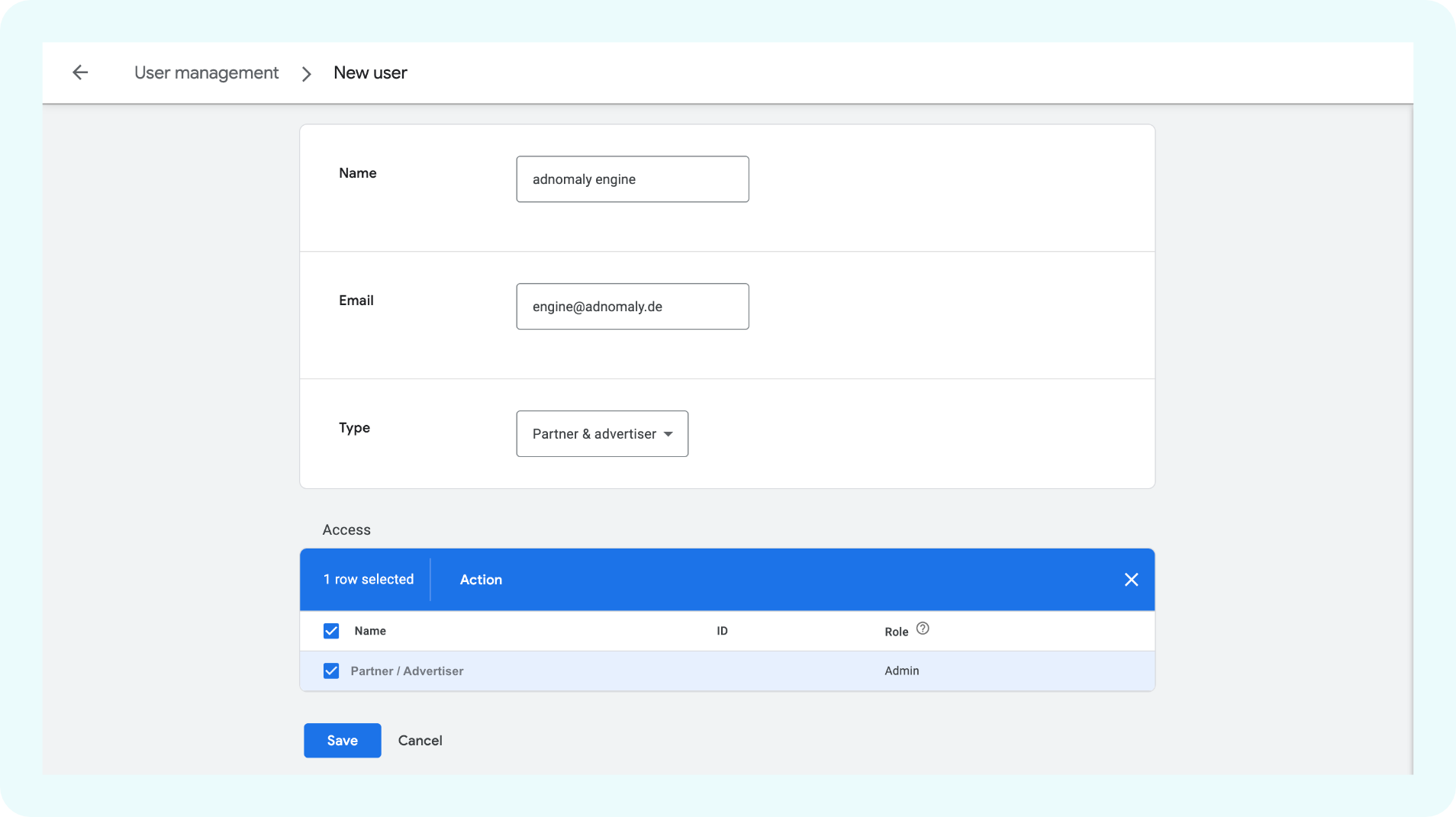
- Add the email engine@adnomaly.de and assign it to the partners and advertisers you want to monitor. This enables the adnomaly to operate within your account.
Once you've completed the steps, please notify your adnomaly representative. There are a few manual steps to finalize the connection within our system.
You're all set! Now, adnomaly is successfully connected to your DV360 Account.
How did we do?
Google Ads