Amazon Ads
In this article, we will guide you through the steps to connect adnomaly to your Amazon DSP. To enable adnomaly on your Amazon account, you need to grant access to the adnomaly system user. This allo…

Updated
by Binnaz Cemre Janicke
In this article, we will guide you through the steps to connect adnomaly to your Amazon DSP.
To enable adnomaly on your Amazon account, you need to grant access to the adnomaly system user. This allows adnomaly to securely monitor and optimize your campaign performance.
Step-by-Step Instructions
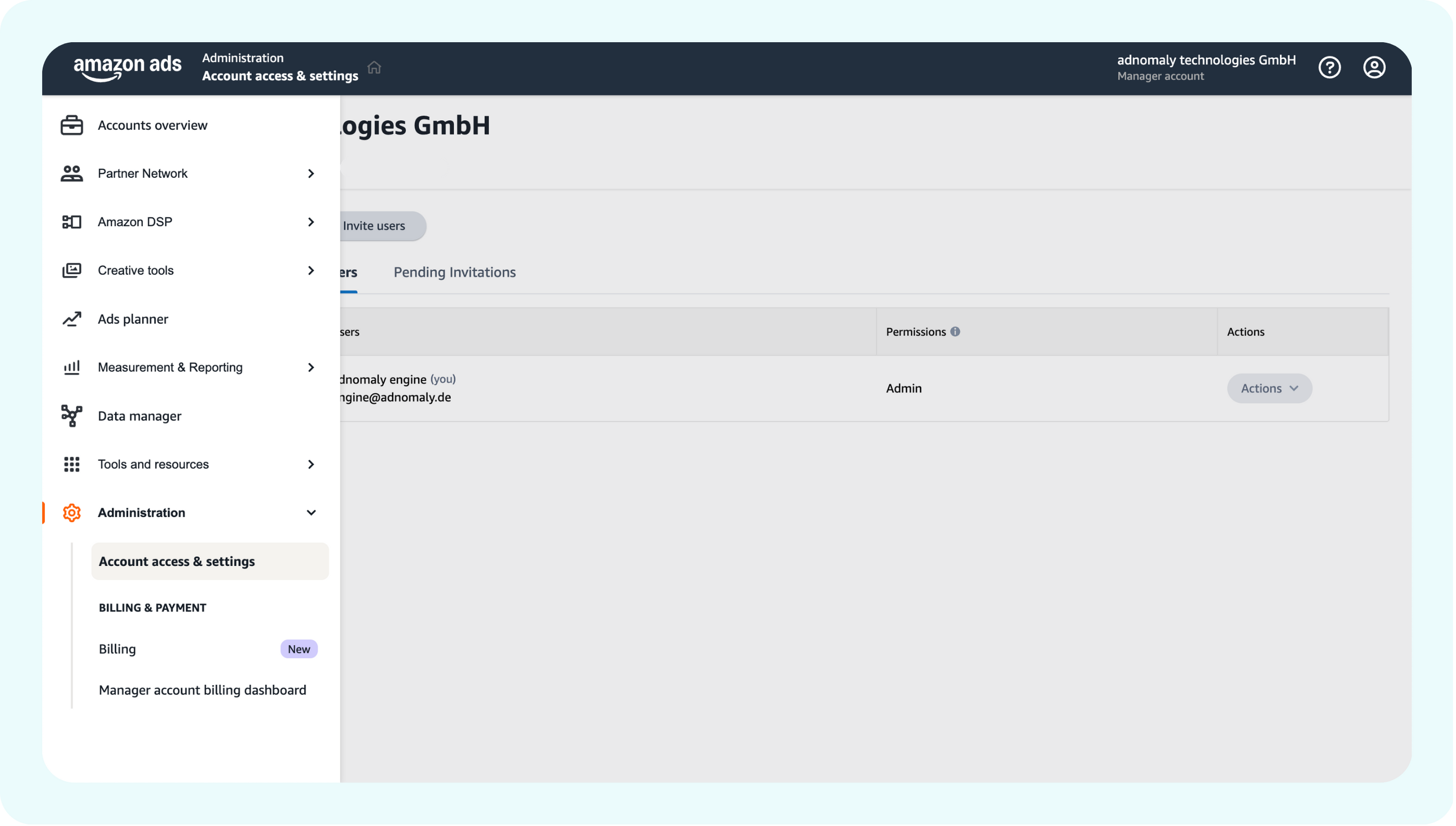
- Go to the Amazon login page and sign in using your administrator credentials. Then click on Account access & setting under Administration.
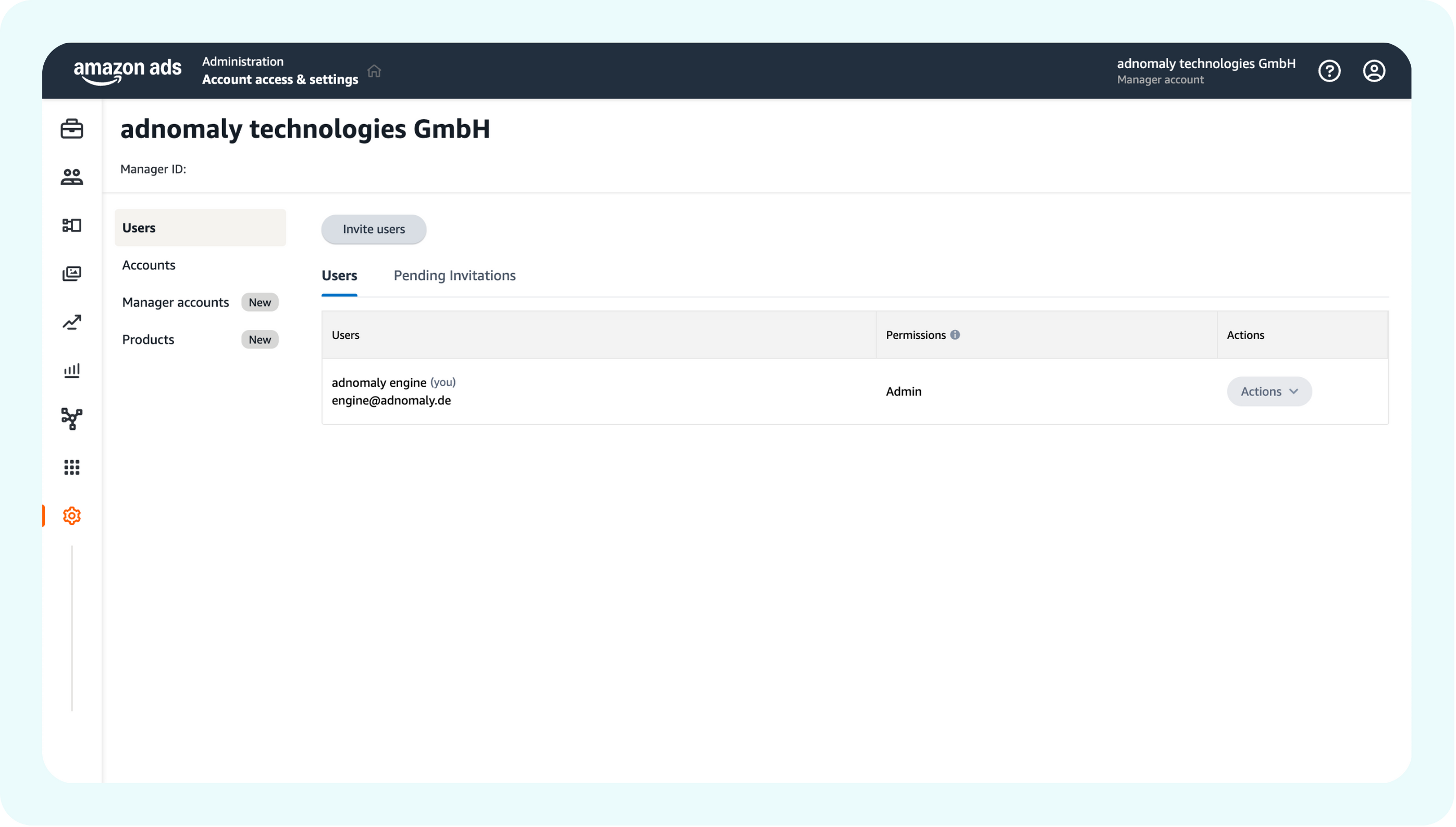
- In the User Management section, invite the adnomaly system user by entering the provided email (engine@adnomaly.de).
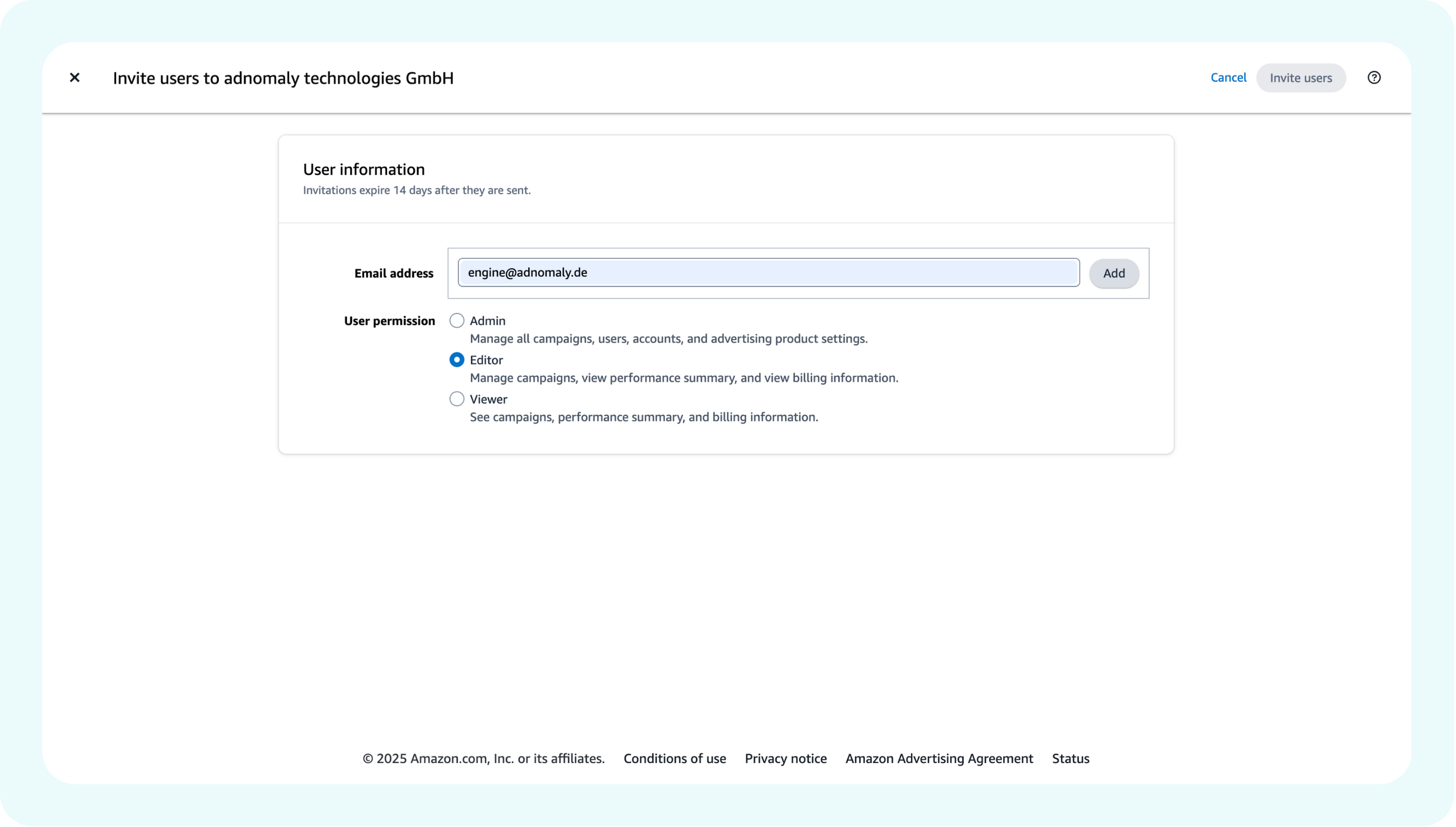
- Under the User Information section, add the adnomaly engine by entering the provided email and assigning the necessary permissions (e.g., Admin, editor).
Once you've completed the steps, please notify your adnomaly representative. There are a few manual steps to finalize the connection within our system.
You’re all set! Now, adnomaly is successfully connected to your Amazon Account.
How did we do?
theTradeDesk
Adform