Implementation of Standard Rules
In this article, you'll find how to activate and deactivate standard rules for your DSPs. Standard rules are available to all clients and are designed to help identify unusual activity, potential iss…

Updated
by Binnaz Cemre Janicke
In this article, you'll find how to activate and deactivate standard rules for your DSPs .
Standard rules are available to all clients and are designed to help identify unusual activity, potential issues, and budget risks. If there are specific rules you would like to deactivate or reactivate, you can manage them through the Operations Center.
Managing Standard Rules
Standard Rules can be activated or deactivated from the Operations Center:
- Navigate to Operations Center → Ad Accounts.
- Select the ad account you want to manage.
- Locate the rule you want to update.
- Change the Rule Status to Active or Inactive.
- Save your changes.
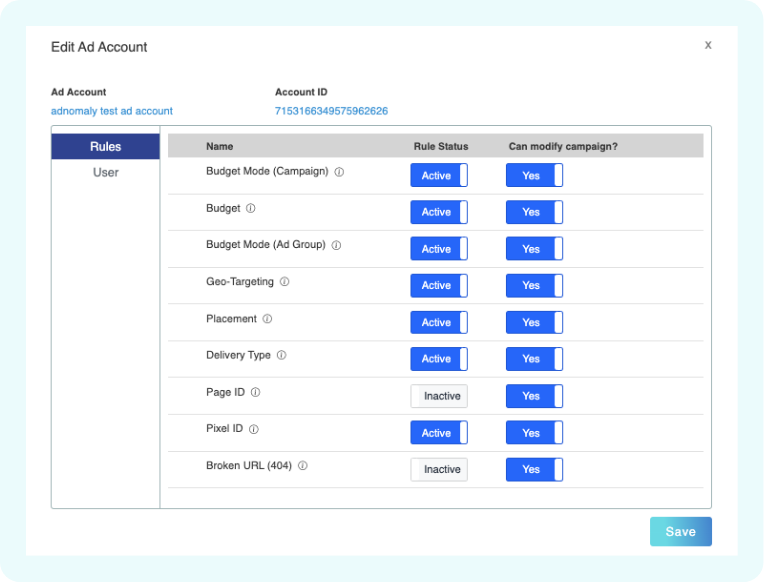
For detailed instructions, see the Operations Center Guideline.
How did we do?
Meta Standard Rules